

Pre-sales customer service WeChat


Barcode printer common small problems easily solved
Release Time:2020-07-10
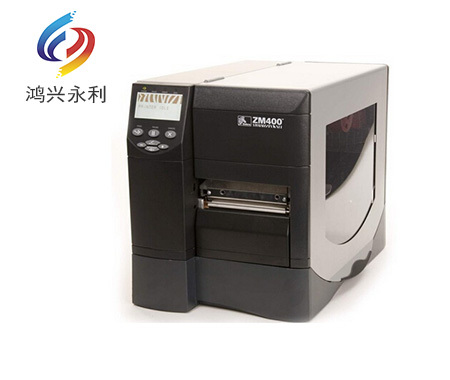
The common minor problems of bar code printer can be easily solved. The printer is an industrial office electronic product. When the printer fails, the primary work is: 1. First check whether the installed label and carbon tape are in place, and eliminate human beings → 2. Observe the surface of the carbon tape label with naked eyes to see if there is any abnormality → 3. See whether the printer parameter setting is changed; whether the settings and corresponding printing software settings are correct → 4. Think from the perspective of printer adjustment → 5. Finally, judge from the label carbon tape consumables whether it is a product quality problem.
Easy to solve common problems:
1. The overall content of the printed label does not look clear, the color is white, and there are some phenomena such as roughness?
① Pick up the currently printed carbon ribbon and observe whether the coating (or understanding of the film surface and surface layer) of the carbon ribbon is uniform;
② Take industrial alcohol and cotton to clean the print head and roller, erase the dust;
③ increase the printing temperature, slow down the printing speed, and see if it is ideal;
④ Adjust the overall pressure of the barcode printer to see if it is resolved;
⑤ Whether the label and the carbon tape match, and whether the printing compatibility is ideal;
The resolution of the barcode printer is too low, it is recommended to replace the high-definition print head, or barcode printer;
⑦ The tension of the supply shaft or reel of the carbon tape is not accurate and needs to be adjusted to the appropriate size;
⑧ Other examples: You can also change to a third-party printing software bartender and try a third-party driver, and the effect may come out.
2. The printed label effect is clear while weak. What's the matter?
① Confirm whether the print head button on the weak side is pressed tightly to eliminate human beings.
② Clean the weak side of the print head and roller part, there may be dust and thick carbon tape accumulation, cleaning is not complete;
Whether the film surface of the carbon belt is uniform and whether there is any bad situation;
④ The printing is weak. If the roller is seriously worn by naked eyes, it is recommended to replace the roller with a new one;
⑤ On the light side of printing, the print head is seriously worn by naked eyes. It is recommended to replace the print head with a new one;
⑥ The pressure on both sides of the print head is unbalanced, and the pressure of the print head on the side of the bar code printer needs to be increased;
⑦ Adjust the front and rear positions of the print head on this side of the bar code printer to the highest point where the print head and roller are located on the horizontal plane;
3. The printed label has white wrinkled strips and oblique strips on it. What's the matter?
① The printing temperature is too high, it is recommended to reduce the printing temperature;
②The left and right pressure of the barcode printer may be adjusted too much on one side, and it is recommended to adjust to a suitable position;
The print head part of the front plate, the position is loose or the left and right positions are too different to cause this situation;
④ The print head part of the bar code printer may be too biased in front of the roller on the left and behind on the right, resulting in wrinkles;
⑤ If the carbon belt supplied by the customer is used for 300 meters for a long time, it is now supplied for 450 meters, resulting in unstable tension;
⑥ For example, if the customer changes the print head, maybe the print head is not installed smoothly and can be reinstalled;
⑦ There are wrinkled strips in the carbon ribbon factory, which is a product quality problem;
4. The printed label content, each corresponding position will be missing a part, how to return a responsibility?
① Take medical alcohol and cotton to clean the print head and roller and erase the dust;
Pick up the currently printed ribbon and observe whether the coating of the ribbon is uniform with the naked eye;
③ Observe the corresponding position of the roller to see if there are knife scraping and sag marks, and replace the new roller;
5. When printing, make a popping sound and feel the label stick to the same feeling as the carbon tape. What's the matter?
① The printing temperature is too high, it is recommended to lower the printing temperature to see if it can be solved;
② Observe that the tension of the ribbon is too tight when it leaves the factory. This is really the case. It is a product quality problem;
③ The surface coating and the back coating are stuck together, and it is not easy to pull down, which is a product quality problem;
④ Carbon with electrostatic phenomenon;
6. When printing, the carbon belt has serious electrostatic phenomenon. What's the matter?
① If there is a sample tape on this side of the company or on the other side of the customer, it is recommended to do an electrostatic test and wipe the cloth for 10 times to see if there is still smoking ash;
Reduce the printing temperature;
The carbon tape placed in a humid environment, can reduce the static electricity;
④ If the customer bar code printer has an electrostatic brush, damaged and unstable, it is recommended to replace it with a new one;
7. When printing, one or two blank labels will jump, or paper leakage will occur. What's the matter?
① Check whether there is any problem with the installation and whether it is installed under the sensor;
② Observe whether the label sensor part is blocked by label, dust, etc., and clean it with alcohol;
③ Check whether the label size settings of the barcode printer driver and software items on the computer side are consistent with the actual situation, including the spacing;
④ Re-perform the paper measurement operation on the bar code printer, and if not, restore the factory value operation;
⑤ After a long time of the barcode printer, the electric pressure of the label sensor is weak, aging and other phenomena, it is recommended to replace it with a new one;
⑥ If it still fails, find a new firmware version to refresh the barcode printer to see if it is solved;
⑦ The light transmittance of the bottom paper of the label is abnormal;
8. When printing, the label will go and the carbon belt will not go. What's the matter?
① First check the pressure of the barcode printer, whether the unilateral is too large, it is recommended to adjust to the appropriate size;
② For example, whether the factory is made of external carbon or whether the internal and external carbon belts can be used, check whether there are any errors in consumables in this link;
③ Whether the slitting of the carbon belt is poor (including whether the paper shaft core is misaligned left and right);
④ Change to thermal paper and print without carbon tape, and observe whether the carbon tape shaft rotates. If it does, it means that the installation is not in place in the early stage, and if it does not, it means that the machine is broken (the aging voltage of the spring inside the carbon tape shaft and the carbon tape sensor is too small);
⑤ The surface coating and back coating of the carbon belt stick together, which is a product quality problem;
9. When printing, the label will not go, the carbon belt will go, what's the matter?
① First check the pressure of the barcode printer, whether the unilateral is too large, it is recommended to adjust to the appropriate size;
The bar code printer roller is very smooth, no does not have a lot of friction, replace the new;
③ Whether the motor drive of the roller is damaged, or whether the belt on the motor is worn, it is recommended to replace it with a new one;
④ Check whether the printing mode of barcode printer is thermal, and perform corresponding setting or factory value operation.
The above is the sales of Hongxing Yongli Company for a total of 10 years. The most frequently asked questions and common problems are sorted out. Bar code label printers are also office supplies. Therefore, it is better to understand the solutions to some large and small problems. Xiaobian still reminds everyone warmly that it is necessary to collect them! What if I use it someday.
Focus on us
Official Account
Pre Sales
After Sales
National Service Hotline
Complaint suggestion:+86 13530144755
Enterprise E-mail:wanglili@xingyongli.com
Links:Shenzhen Hongxing Yongli Electronic Technology Co., Ltd.(Apply for friend chain plus QQ:2355671558)
©2024 Shenzhen Hongxing Yongli Electronic Technology Co., Ltd Powered by www.300.cn