

Pre-sales customer service WeChat


Chain convenience store pos cash register common trouble shooting
Release Time:2014-06-06
If many users do not operate pos cash register correctly, various faults will occur. Next, Yongli barcode editor will explain the common faults of pos cash register in chain convenience stores:
Fault a cash box pops up without power
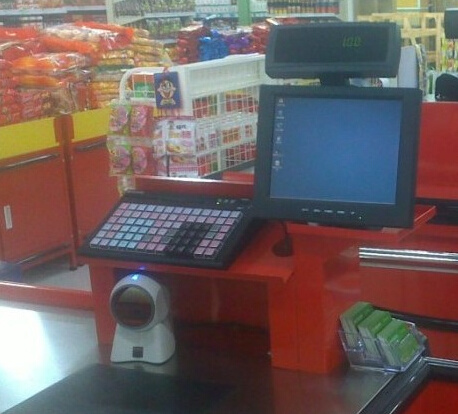
1. After using for a period of time, it may be due to insufficient lubricating oil and increased friction, and lubricating oil should be added.
2. Insufficient pulse width to open the cash box (insufficient delay).
3. The spring or crank arm that pushes the cash box is not flexible enough.
Fault 2 The ribbon in the external printer of the supermarket cash register does not go away
Inspection method:
1. Check whether the ribbon is prevented correctly;
2. Check whether the ribbon is stuck
3. Check whether the printer is on;
Fault three supermarket cash register printer does not produce paper
Inspection method:
1. When the cash register printer suddenly fails to produce paper during work, the first step is to check whether there is thermal cash register paper in the printer. If there is no thermal cash register paper, it can be replaced in time;
2. If there is cash register paper, we will observe what will appear on the screen of the supermarket cash register software system when we press the printed part when we are working. If there is nothing, there may be a problem with the printer or cash register circuit link;
3. Check whether there is paper jam in the supermarket cash register printer. If there is paper jam, stop working immediately, and then repair the inside of the printer. If you can't fix it yourself, you must contact the supplier's technical personnel in time and solve it under its guidance. If you can't, you can ask the technical personnel to repair it on site;
4. Check whether the printer connection is normal and check whether there is a fault inside the printer (if the above checks are normal, the last item is best to contact technicians for maintenance).
Fault 4 How to deal with the display dimming after one stage of use
Inspection method:
1. Check whether the signal line of the display is loose.
2. Make sure that the display power indicator light and the host power indicator light are normal.
3. Adjust the brightness of the display to make sure that the cash register is not in a dormant state.
4. The replacement display shall be submitted to the manufacturer for maintenance.
Fault 5 The customer display of the supermarket cash register suddenly turned off.
Inspection method:
1. Make sure the communication line is correct and firm, and check whether the power supply setting is correct or the output is normal.
2. Run CHECK to test whether the guest display is correct, replace the serial port to test whether it is correct, and determine whether the serial port is wrong.
3. Open the display and check whether the air suction hole of the VFD screen is damaged.
Focus on us
Official Account
Pre Sales
After Sales
National Service Hotline
Complaint suggestion:+86 13530144755
Enterprise E-mail:wanglili@xingyongli.com
Links:Shenzhen Hongxing Yongli Electronic Technology Co., Ltd.(Apply for friend chain plus QQ:2355671558)
©2024 Shenzhen Hongxing Yongli Electronic Technology Co., Ltd Powered by www.300.cn