

Pre-sales customer service WeChat


The barcode printer cannot print, have you checked all these reasons?
Release Time:2017-08-17
barcode printer can't print what is the problem.
As barcode technicians when we hear customers say "the printer won't print". We need to have our own ideas.
The barcode printer can't print, have you checked all these reasons? (The following are the questions we need to ask the customer)
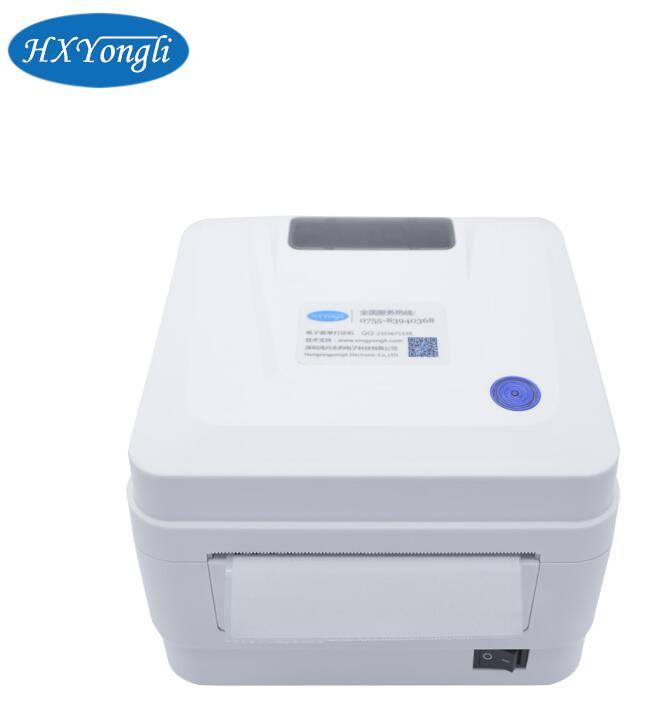
1. Is the printer driver installed? If the customer does not install the driver and does not install it, it can help the customer to complete it remotely.
2. The driver is installed, and the printer does not respond to the print test in the driver. If the customer installs the driver, then we need to know what port the customer uses to print the USB line. Serial port. Parallel. Network Port? Select the corresponding print port according to the print line selected by the customer to the drive.
3. Is the printer consumables installed correctly? (carbon tape paper) can be used to guide the customer to install through language expression, or send the installation video to the customer. There is no installation video, so the customer can take photos of the installed pictures to the technology, and judge whether the installation is correct through the photos.
4. Is there a red light on this side of the printer. Or other abnormal (technology needs to ask the customer's specific model, according to the model to tell the customer what the normal state is like, to guide can be judged.)
Focus on us
Official Account
Pre Sales
After Sales
National Service Hotline
Complaint suggestion:+86 13530144755
Enterprise E-mail:wanglili@xingyongli.com
Links:Shenzhen Hongxing Yongli Electronic Technology Co., Ltd.(Apply for friend chain plus QQ:2355671558)
©2024 Shenzhen Hongxing Yongli Electronic Technology Co., Ltd Powered by www.300.cn