

Pre-sales customer service WeChat


The truth about the extended service life of barcode printers is this
Release Time:2018-08-15
Hello, everyone! I am Hongxing Yongli Xiaobian Huahua. What I want to share today is the truth that can prolong the service life of barcode printers and the matters needing attention in daily maintenance and operation of barcode printers.
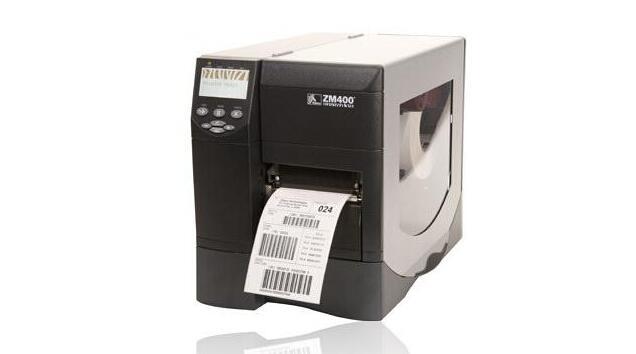
Routine maintenance of barcode printer:
After printing a roll of carbon tape, the barcode print head should be cleaned. This can maintain print quality, reduce the number of barcode printer maintenance, extend the service life of the barcode print head.
(1) the cleaning of the bar code print head
Turn off the power of the bar code printer, turn up the bar code print head, remove the ribbon and label paper, and gently wipe the bar code print head until it is clean with a cotton swab (or cotton cloth) soaked in a little bar code print head cleaning fluid. Then gently dry the barcode print head with a clean cotton swab.
(2) Cleaning of roller
After cleaning the barcode print head, clean the drum with a cotton swab (or cotton cloth) soaked in a little 75% alcohol. The method is to scrub while rotating the roller by hand, and then dry it after cleaning. The cleaning interval between the above two steps is generally once every three days. If the barcode printer is frequently used, it is best to use it once a day.
(3) Cleaning of the transmission system and cleaning of the chassis
Because the general label paper is adhesive, the glue is easy to stick to the shaft and channel of the transmission, plus dust, which directly affects the printing effect, so it needs to be cleaned frequently. Generally once a week, the method is to use a cotton swab (or cotton cloth) soaked in alcohol to scrub the transmission of each shaft, the surface of the channel and the dust in the chassis, clean, dry.
(4) Cleaning of the sensor
The sensor includes a ribbon sensor and a label sensor. Its location is shown in the manual. It is usually cleaned once a month to three months. The method is to use a blower (suction ball) to blow the dust on the sensor.
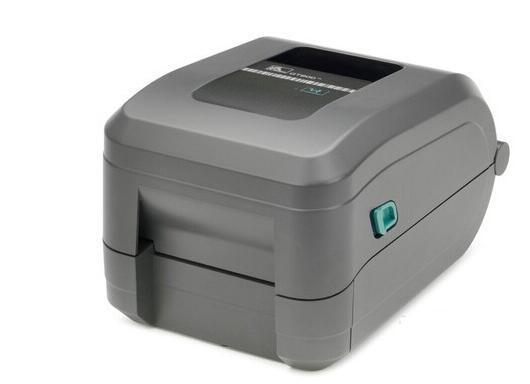
How to extend the life of the barcode printer:
Correct operation: whether the user's operation is correct or not has a great influence on the service life of the barcode printer, such as temperature, pressure and other machine settings and applications.
2. Implementation of maintenance: whether the general maintenance is implemented according to the usage, and whether the maintenance actions are correct (including the equipment and methods used for maintenance), and whether the regular professional maintenance and adjustment are complete. The above points all affect the service life of bar code printers.
3. Environmental factors: Please turn off the power when the barcode printer is not in use, so that the machine can be kept at a low temperature as much as possible. When switching the power supply, it is best to be separated by 5 to 10 minutes, and try to choose a cleaner environment. If the above conditions can be met, the life of the bar code printer will continue to be at least 5%.
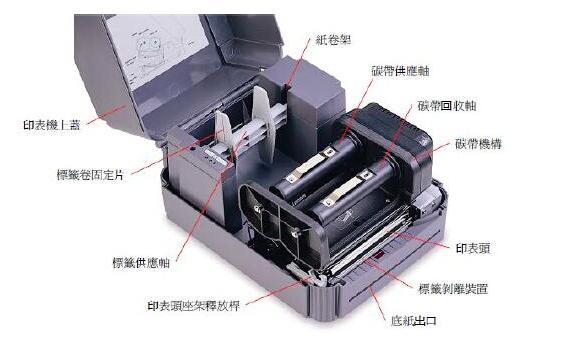
Extend the life of barcode printer barcode print head:
The barcode print head is the most vulnerable component in the barcode printer. It is a wear and loss like a car, which will eventually be damaged. However, continuous attention to maintenance can extend the life of the barcode print head.
barcode print head maintenance:
1. In order to play the best role, when each with a roll of ribbon or a roll of thermal paper to clean a bar code print head. Note that when cleaning the barcode print head, take off the ring to prevent scratching the barcode print head, and use grounded metal tape or anti-static pad to prevent electrostatic damage to the barcode print head.
2. Use a cotton swab soaked in 70% alcohol, turn off the power of the printer and turn on the barcode print head, brush the mechanical part of the printer with a small amount of cotton cloth, or gently blow off the floating dust (such as roller, paper/ribbon sensor and barcode print head). Do not use any hard metal or wear tools (such as screwdrivers) to grind the barcode print head of contaminants.
3. Use a cotton swab with alcohol to press on the barcode print head and wipe it from the beginning to the end, then rotate the roller and wipe it while rotating. If the cotton swab is dirty, don't use it again.

Focus on us
Official Account
Pre Sales
After Sales
National Service Hotline
Complaint suggestion:+86 13530144755
Enterprise E-mail:wanglili@xingyongli.com
Links:Shenzhen Hongxing Yongli Electronic Technology Co., Ltd.(Apply for friend chain plus QQ:2355671558)
©2024 Shenzhen Hongxing Yongli Electronic Technology Co., Ltd Powered by www.300.cn