

Pre-sales customer service WeChat


How to Choose Zebra Printer Resolution
Release Time:2020-07-29
The higher the resolution of the zebra printer, the more expensive it is. DPI "is dot per inch, which is expressed as the resolution of barcode printer, also known as output resolution, and refers to the maximum number of dots that can be printed per inch in both horizontal and vertical directions when printing out. The so-called highest resolution refers to the maximum resolution that the printer can print, that is, the limit resolution of the printout. Zebra printer resolution to how to choose, choose a different resolution will have what effect:
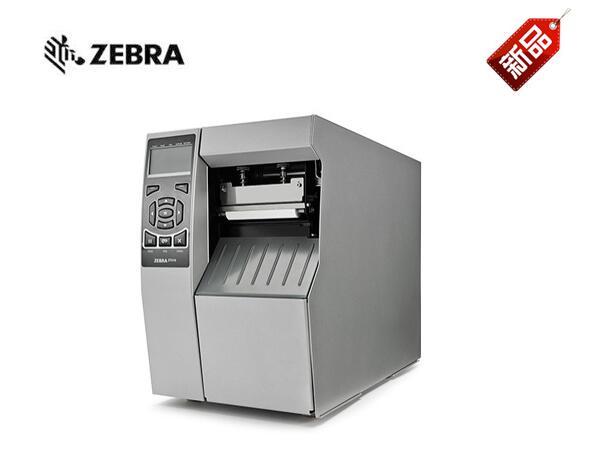
1. 200DPI Printer
203dpi bar code printer, the printer definition is relatively low, generally suitable for printing quantity is relatively small, about one thousand, the demand is relatively low users. This is also one of the most used in the market.
2. 300DPI Printer
Is a barcode printer with a resolution of this level relatively moderate, but there are also many customers who will choose this one, which is equivalent in terms of price and printing quality, and is suitable for users with average printing quantity and moderate requirements.
3. 600DPI Printer
The 600DPI bar code printer has high printing definition. It is generally used to print pictures. LOGO, numbers, etc. will be very clear. It can print very small words or numbers without gears. For high printing quality requirements, you can choose this level of resolution.
The DPI of zebra bar code printer is about this level. When you choose and buy it, you should choose it according to the comprehensive situation, which is practical and reliable.
Focus on us
Official Account
Pre Sales
After Sales
National Service Hotline
Complaint suggestion:+86 13530144755
Enterprise E-mail:wanglili@xingyongli.com
Links:Shenzhen Hongxing Yongli Electronic Technology Co., Ltd.(Apply for friend chain plus QQ:2355671558)
©2024 Shenzhen Hongxing Yongli Electronic Technology Co., Ltd Powered by www.300.cn