

Pre-sales customer service WeChat


These improper operations may cause the barcode printer to print out blank
Release Time:2020-07-21
These improper operations may cause the bar code printer to print blank, especially after the bar code printer has just changed paper or changed the carbon tape, it is easy to encounter the problem of white paper in the bar code printer. Hongxing Yongli suggests that everyone should exclude it according to the following methods:
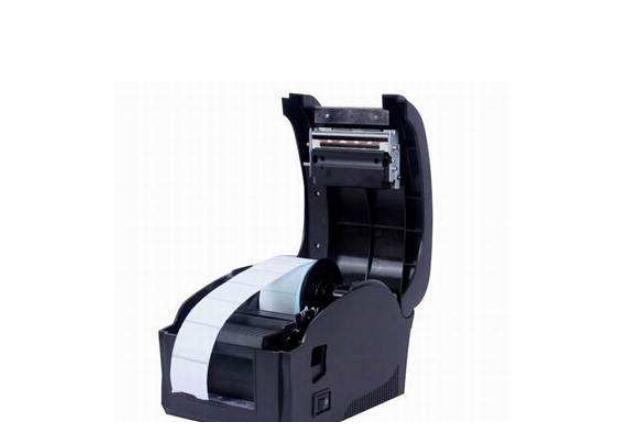
1. barcode carbon tape label paper installation error
Please follow the steps above in the accompanying Quick Installation Guide to reinstall the barcode ribbon label paper. how to install ribbon zebra barcode printer?
Incorrect position of 2. paper sensor
When you lift the print head, you will see that there will be a paper detector where the paper passes through. The detector needs to be covered by the paper so that the barcode ribbon printer can correctly adapt to the size of the paper.
3. bar code carbon tape label paper settings and the actual size is not the same
In the "Paper" tab in the "Page Setup" of the software for editing the barcode ribbon label paper, reset the settings. It is recommended to measure the actual height of the barcode ribbon label paper with a ruler before printing, and then set the label correctly.
4. paper sensor dirty
Clean the paper sensor with absolute alcohol and turn off the power to the printer before cleaning. Re-operate the "Paper Detection", press the FEED key and hold it for 3 seconds while waiting, and the 3 LED indicators will flash at the same time.
The gap between the 5. bar code carbon tape label paper is not standardized
When some label paper is processed, the size or interval of the produced label paper will be different due to the machine or mold, resulting in the barcode printer not being able to sense the size of the label paper.
6. bar code carbon tape label bottom paper is too hot or the label paper is irregular.
If the bottom paper is too thick or the label paper is irregular, it will also cause the printer to be unable to sense the paper size, thus causing the barcode printer to print blank.
7. sensor fault
If the previous methods cannot be solved, it is possible that there is a problem with the paper sensor. Contact the supplier for technical solutions. Do not disassemble and assemble at random, causing secondary damage to the barcode printer.
Focus on us
Official Account
Pre Sales
After Sales
National Service Hotline
Complaint suggestion:+86 13530144755
Enterprise E-mail:wanglili@xingyongli.com
Links:Shenzhen Hongxing Yongli Electronic Technology Co., Ltd.(Apply for friend chain plus QQ:2355671558)
©2024 Shenzhen Hongxing Yongli Electronic Technology Co., Ltd Powered by www.300.cn