

Pre-sales customer service WeChat


Serial port (RS232) scanning gun connected to computer test
Release Time:2020-07-21
The serial port is also called RS232 interface or COM interface. The data obtained by scanning the barcode with the serial port scanning gun is input from the serial port. It needs to be driven or directly read the serial port data, and an external power supply is required. Then the serial port (RS232) scanning gun connected to the computer test method is as follows:
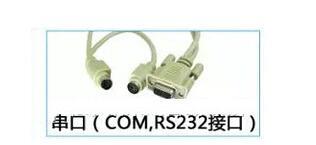
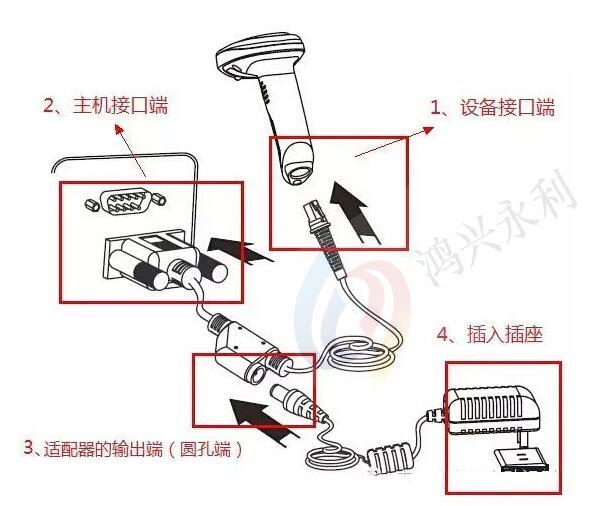
1. Connect the device interface end of the serial data line to the barcode scanning gun
2. Connect the host interface end of the serial data line to the host
3. Connect the serial data line with the barcode scanning gun through the power adapter
4. Insert the output end (round hole end) of the adapter into the corresponding position of the serial port data line, and insert the other end into the 220V power socket.
Hongxing Yongli (China) Co., Ltd. focused on barcode automation identification technology for 16 years. Bar code hardware equipment, bar code software system integration management integration!
Focus on us
Official Account
Pre Sales
After Sales
National Service Hotline
Complaint suggestion:+86 13530144755
Enterprise E-mail:wanglili@xingyongli.com
Links:Shenzhen Hongxing Yongli Electronic Technology Co., Ltd.(Apply for friend chain plus QQ:2355671558)
©2024 Shenzhen Hongxing Yongli Electronic Technology Co., Ltd Powered by www.300.cn