

Pre-sales customer service WeChat


Daily maintenance and regular maintenance of label bar code printer
Release Time:2013-06-27
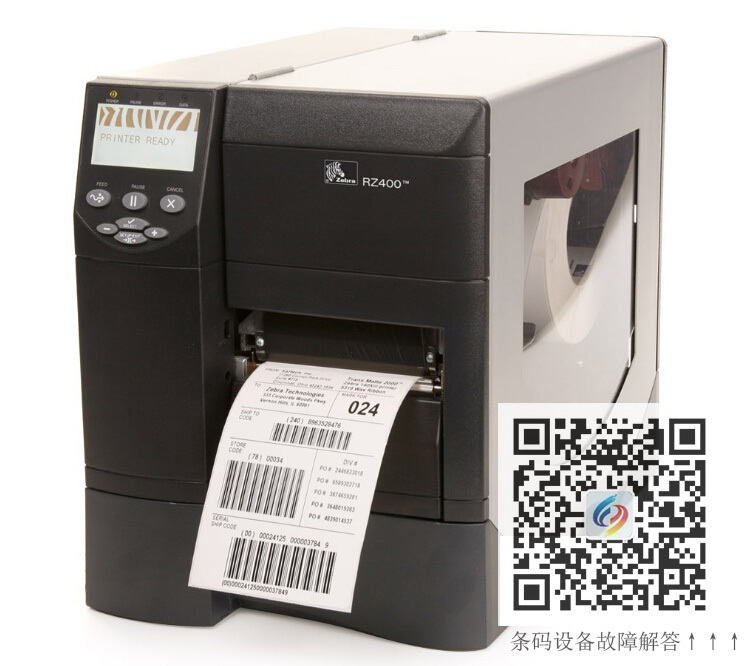
Label bar code printer is a special printer, it prints the contents of the general enterprise brand identification, serial number identification, packaging identification, bar code identification, envelope labels, clothing tags and so on. Industrial-grade quality, not limited by the amount of printing can be printed in 24 hours. The daily maintenance and regular maintenance of the barcode printer is to ensure the quality and long-term good performance of the barcode printer. The more frequently the barcode printer is used, the more often it should be cleaned.
1. Cleaning of the print head of the label barcode printer
To regularly clean the print head, use a cotton swab and alcohol. Turn off the power of the bar code printer, keep the same direction when wiping (to avoid dirt residue when wiping back and forth), turn up the print head, remove the ribbon and label paper, and gently wipe the print head until it is clean with a cotton swab (or cotton cloth) soaked in the print head cleaning fluid. After that, gently dry the print head with a clean cotton swab. Keeping the print head clean can get good printing results, and the most important thing is to extend the life of the print head.
2. Cleaning and maintenance of glue stick for label barcode printer
Regular timing to clean the bar code printer stick, cleaning tools can use cotton swabs and alcohol, keep the stick clean, but also in order to get good print results, as well as to extend the life of the print head. In the printing process, the label paper will leave a lot of small powder on the glue stick. If it is not cleaned in time, it will hurt the print head. The glue stick has been used for a long time. If there is wear or some unevenness, it will affect the printing and damage the print head.
3. Cleaning of label barcode printer roller
After cleaning the print head, clean the roller with a cotton swab (or cotton cloth) soaked in 75% alcohol. The method is to scrub while rotating the roller by hand, and then dry it after cleaning. The cleaning interval between the above two steps is generally once every three days. If the barcode printer is frequently used, it is best to use it once a day.
4. Cleaning of the transmission system of the label bar code printer and cleaning in the chassis
Because the general label paper is adhesive, the glue is easy to stick to the shaft and channel of the transmission, plus dust, which directly affects the printing effect, so it needs to be cleaned frequently. Generally once a week, the method is to use a cotton swab (or cotton cloth) soaked in alcohol to scrub the transmission of each shaft, the surface of the channel and the dust in the chassis, clean, dry.
5. The cleaning of the sensor of the label barcode printer should keep the sensor clean
Paper measuring errors or ribbon errors do not occur. Sensors include ribbon sensors and label sensors. See the instructions for their locations. Generally, they are cleaned once every three to six months. The method is to scrub the sensor head with a cotton swab soaked in alcohol. After cleaning, wipe it dry.
6. Cleaning of paper feed guide groove of label barcode printer
The guide groove generally does not have a big problem, but sometimes the label is stuck in the guide groove due to man-made or label quality problems, and it is also necessary to clean it in time.
7. The temperature of the label bar code printer is generally kept between 10-24, not too high, otherwise it is easy to reduce the service life of the print head. Pay attention to the matching of carbon tape and label. Generally, coated paper is matched with wax-based carbon tape, and synthetic paper is matched with half-tree or full-tree carbon tape. In addition, pay attention to keep the label paper flat, do not make it uneven, otherwise the print head is easy to wear.
Focus on us
Official Account
Pre Sales
After Sales
National Service Hotline
Complaint suggestion:+86 13530144755
Enterprise E-mail:wanglili@xingyongli.com
Links:Shenzhen Hongxing Yongli Electronic Technology Co., Ltd.(Apply for friend chain plus QQ:2355671558)
©2024 Shenzhen Hongxing Yongli Electronic Technology Co., Ltd Powered by www.300.cn