

Pre-sales customer service WeChat


Zebra printer ribbon wrinkle ten reasons
Release Time:2020-07-10
Ribbon/ribbon wrinkling is a common problem in bar code printers, most of which are caused by improper operation of staff. The following is an analysis and arrangement of the ten major causes of ribbon wrinkling in zebra printers by Hongxing Yongli: Provide reference!
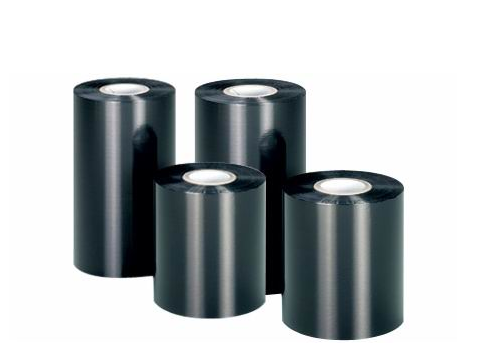
Barcode Printer Carbon Tape
Reason one: print head imbalance
Corresponding operation: turn off the power of the barcode machine, press and hold the "PASUE" key on the panel to turn on the power, and then release the finger until the machine automatically outputs paper. At this time, the machine enters the self-test mode and will print the test label. Observe the effect of the test page to judge the printer pressure. For example, the test page shows light on the left and black on the right, while the machine pressure is large on the right and small on the left.
The adjustment method is as follows:
With the 7/64 model of the inch hexagon tool, loosen the two hexagon screws on the right side of the print head assembly, turn the part indicated in the figure below, turn clockwise to increase the pressure on the left side of the print head, and turn counterclockwise to increase the pressure on the right side of the print head. Use the method of printing while adjusting until the problem is solved.
Reason two: the label is not installed
Corresponding operation: If the label is not installed properly, is not installed according to the specified path or the clamping position is not tight, the label will easily run left and right during printing, causing the carbon ribbon to wrinkle.
First of all, when installing a new label, check whether it is tightly rolled, because if it is too loose, the label will easily run during the printing process,
Pay attention when installing the label. According to the label installation instruction chart on the machine, the label should be close to the inside of the machine as much as possible. After the label is installed, the "label installation baffle" and "label baffle" should be stuck to prevent the label from running left and right.
Reason three: the ribbon is not installed
Corresponding operation: If the carbon ribbon is not installed properly and is not installed according to the specified path, the printing process will easily cause the carbon ribbon to wrinkle. Attention should be paid when installing the carbon belt. According to the carbon belt installation instruction diagram on the machine, the carbon belt must be pushed to the end during installation.
Reason four: roller wear
Corresponding operation: When the machine roller wear is serious, there will be left and right imbalance, that is, the height of the left and right sides of the roller is different, and the printing process is easy to cause the carbon belt to wrinkle. General roller wear cannot be repaired and can only be replaced with new ones.
Reason five: ribbon control baffle imbalance
Corresponding operation: The baffle on the print head is used to control the balance of the carbon ribbon. Generally, when the new machine is used, the baffle does not need to be adjusted because the parts of the machine are not worn and the pressure is relatively balanced. After the machine is used for a period of time, the carbon ribbon is wrinkled due to the wear of the parts and the imbalance of the pressure. At this time, the carbon ribbon control baffle can be adjusted to balance the printing.
The method is as follows:
Use a screwdriver to loosen the screw on one side of the baffle, adjust the baffle up or down, adjust and print, and find a suitable position.
Reason six: print temperature is too high
Corresponding operation: When the machine is in normal condition, it only needs to be adjusted to the appropriate temperature for printing. Too high a temperature will cause the carbon ribbon to wrinkle. When the printer display screen displays "PRINTER READY", press SETUP/EXIT key and press the black oval key "-" on the lower left of the display screen to reduce the printing color depth, and adjust until the printed effect meets the requirements and the carbon tape does not wrinkle. In principle, the lowest temperature is used to print the best effect.
Reason seven: ribbon supply shaft pull is too small
Corresponding operation: Tighten the screw on the right side of the carbon tape supply shaft with a tool to compress the spring inside the carbon tape supply shaft, and the tension will increase.
Reason eight: ribbon quality problems
Corresponding operation: when the carbon ribbon manufacturer cuts the carbon ribbon, the carbon ribbon has been wrinkled in the manufacturing process. even if there is no problem with the machine during the printing process, wrinkling will occur. however, this phenomenon can be found with naked eyes, and the solution can only be to replace zebra original carbon ribbon.
Focus on us
Official Account
Pre Sales
After Sales
National Service Hotline
Complaint suggestion:+86 13530144755
Enterprise E-mail:wanglili@xingyongli.com
Links:Shenzhen Hongxing Yongli Electronic Technology Co., Ltd.(Apply for friend chain plus QQ:2355671558)
©2024 Shenzhen Hongxing Yongli Electronic Technology Co., Ltd Powered by www.300.cn