

Pre-sales customer service WeChat


The barcode printer does not print normally after replacing the carbon ribbon. The barcode printer cannot detect the carbon ribbon.
Release Time:2017-10-05
The barcode printer does not print normally after replacing the ribbon. The barcode printer cannot detect the ribbon (also called ribbon). What factors will lead to this failure? Wynn bar code technology analysis is as follows:
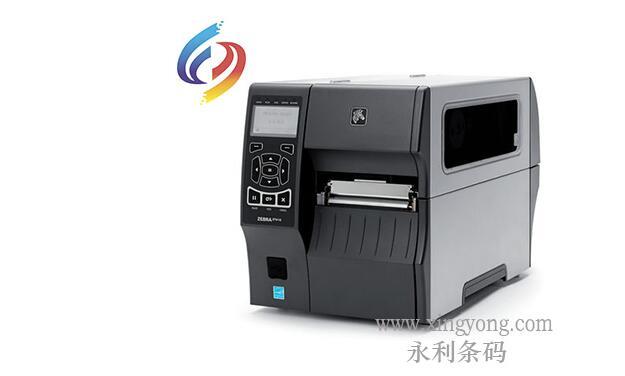
Fault tip: On the panel of the barcode printer, we can see that there are multiple indicator lights in front of it, and one of them is a "CHECK RIBBON" indicator light. If the machine is in the printing process, the "CHECK RIBBON" indicator light is abnormal, indicating that the carbon tape is wrong and the machine will stop printing.
Factor 1: The printer user did not install the ribbon correctly. How to install it, we have explained in detail in "How to install Zebra printer carbon tape and label. The carbon ribbon is not installed properly and is not installed according to the specified path, which will cause the carbon ribbon sensor to fail to sense. Note that during installation, it is necessary to install the ribbon according to the schematic route and push the ribbon to the end.
Factor 2: barcode printer machine motherboard is bad or induction data line is loose. When the machine is in use, the carbon belt is installed correctly, and the sensor works normally, or the phenomenon of carbon belt induction error occurs, it may be that the machine induction line is loose or the motherboard is broken. The connection line on the motherboard should be re-plugged tightly. If the problem still exists, it is diagnosed as a motherboard problem and a new motherboard needs to be replaced.
Factor 3: The ribbon sensor is bad. The carbon ribbon sensor will be broken when it is artificially damaged or used for a long time. At this time, a new carbon ribbon sensor needs to be replaced.
Focus on us
Official Account
Pre Sales
After Sales
National Service Hotline
Complaint suggestion:+86 13530144755
Enterprise E-mail:wanglili@xingyongli.com
Links:Shenzhen Hongxing Yongli Electronic Technology Co., Ltd.(Apply for friend chain plus QQ:2355671558)
©2024 Shenzhen Hongxing Yongli Electronic Technology Co., Ltd Powered by www.300.cn