

Pre-sales customer service WeChat


How many do you know about the quality of barcode printer printing?
Release Time:2017-06-22
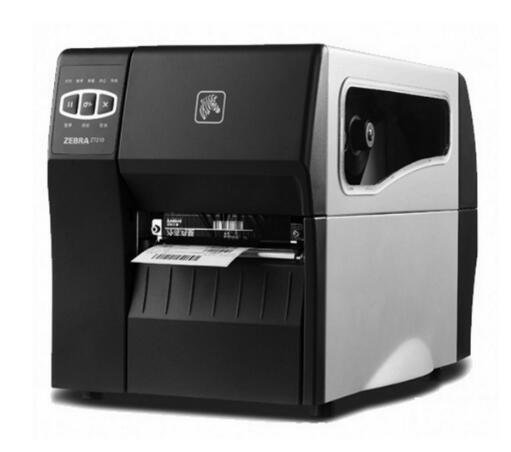
Bar code printer after a period of time appears bar code printer print out the content is not very clear, because the impact of bar code printer print quality is still very much, such as the choice of font, printer resolution and the choice of bar code carbon tape will affect the print quality. Wynn barcode finishing provides:
1. Choose the appropriate font
The printing effect of different fonts will be different. If you choose ARIAL, bold, etc., and then bold the font, it usually seems that the printing will be much better.
2. Printer resolution
If a printer with a high resolution can print a clear effect without setting it up, a printer with a low resolution will generally take more time and time to debug.
3. Printer temperature or pressure
If the printing effect is not very good, you can adjust the temperature of the barcode printer to get good clarity.
4. Material of label paper
Different label paper, usually the printing effect will be different, especially when scanning through the bar code scanning gun, the speed is obviously different, because the material is not the same, the ability to absorb carbon is not the same, in general, the printing effect of ordinary coated paper is better. Of course, different label paper must choose the correct bar code ribbon.
5. Barcode ribbon quality
The quality of bar code carbon tape is good or bad. If the printing requirements are relatively high, you can choose better quality carbon tape or brand carbon tape, such as zebra carbon tape and Ricoh carbon tape. Of course, the price is also higher.
6, Print Software
The printed content also has a great relationship with the printing software. If you choose professional barcode software, such as Bartender,Codesoft,labelview, etc., you can get better print quality.
7. Clean the print head
After the bar code printer is used for a long time, the print head needs to be cleaned, which can extend the life of the printer and obtain better printer quality.
8. Paper printing direction
Bar code printer printing horizontal bar code and text and other content is not vertical print clear, especially when the printing speed is more obvious. Usually large labels will choose horizontal printing, it is recommended to design the content as vertical printing. If it cannot be designed as longitudinal. Adjust the printing speed, slower printing speed will be more clear than faster.
Euler, do you know the quality of barcode printer printing? Try the above method. Useful though! For more barcode information, please pay attention to our official WeChat public platform at the bottom right.
Focus on us
Official Account
Pre Sales
After Sales
National Service Hotline
Complaint suggestion:+86 13530144755
Enterprise E-mail:wanglili@xingyongli.com
Links:Shenzhen Hongxing Yongli Electronic Technology Co., Ltd.(Apply for friend chain plus QQ:2355671558)
©2024 Shenzhen Hongxing Yongli Electronic Technology Co., Ltd Powered by www.300.cn