

Pre-sales customer service WeChat


Why can't the barcode scanning gun scan the barcode
Release Time:2014-06-19
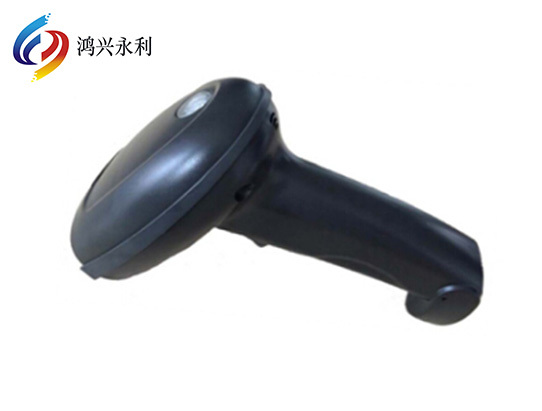
What if the bar code scanning gun cannot scan the bar code? The common problems of scanning the bar code with the scanning gun are solved. First, check whether the bar code is damaged, then the connecting line of the scanning gun is accidentally excluded, and there are also reasons for the code system and bar code grade. All of the above have been checked. If there is no problem, please look down:
Problem 1: The same bar code can be scanned at ordinary times, but suddenly it cannot be scanned.
A: This is a sudden failure of the machine. Try tapping the machine and restarting it. If it is not possible, it needs to be sent back to the seller for repair. It may be that the scanning gun is burned.
Encountered problem two: bar code scanning gun without light
Answer: Check whether the wire of the bar code scanning gun is connected properly. It is also possible that the scanning gun cannot operate due to the lack of power supply of the computer. Whether the usb port and ps/port of the computer are normal. If all of the above are normal, then the bald head or main board of the scanning gun is broken.
Encountered problem three: the scanning gun has light but cannot scan
Answer: 1)ps/2 scanning gun is connected to the mouse port;
2) The ps/2 scanning gun is accurately connected to the keyboard port, but the scanning gun is not connected to the ps/2 keyboard, and the scanning gun is not adjusted to the ps/2 keyboard mode;
3) The ps/2 scanning gun is connected to the usb to ps/2 conversion line, but the chip of the conversion line is not good enough and often cannot be scanned or the code is wrong;
4) When scanning, the cursor is not in the scanning area, and the computer will occasionally pop up a window to change the position of the cursor during scanning;
5) The input method is not closed during scanning, which may result in no scanning or wrong code;
6) If the scanned code system is not opened, all code system switches can be opened;
7) The bar code does not meet the standard, such as short and necessary blank areas, low contrast between bars and blanks, and inappropriate width and narrow share of bars and blanks;
8) The appearance of the bar code is covered with transparent material, and the reflection degree is too high. Although the bar code can be seen by both eyes, the scanning gun cannot read it;
9) The scanned bar code is incomplete or severely damaged;
10) The scanning gun cannot be scanned due to direct sunlight or too strong light;
11) There is doubt about the transfer of the interface, maybe the interface is broken, or the line of the scanning gun is broken;
12) The settings of the scanning gun are disorderly. Open the manual of the scanning gun and scan the factory setting bar code, usually "factory setting", "setalldefault setting", "initialization setting", "default value", etc;
13) The serial port number and baud rate of the serial port gun are not set properly;
14) scanning bar code time interval is too far or too close, the viewpoint is too large;
15) can not scan a very fine bar code, usually the scanning accuracy of the scanning gun is more than 5mil, if your bar code is less than 5mil, please buy a 3mil scanning gun. (This is the problem of the mismatch between the printed content of the selected scanning gun and the barcode. The method of detecting the mismatch is very simple, you can first print the barcode label with short data content for testing)
Focus on us
Official Account
Pre Sales
After Sales
National Service Hotline
Complaint suggestion:+86 13530144755
Enterprise E-mail:wanglili@xingyongli.com
Links:Shenzhen Hongxing Yongli Electronic Technology Co., Ltd.(Apply for friend chain plus QQ:2355671558)
©2024 Shenzhen Hongxing Yongli Electronic Technology Co., Ltd Powered by www.300.cn