

Pre-sales customer service WeChat


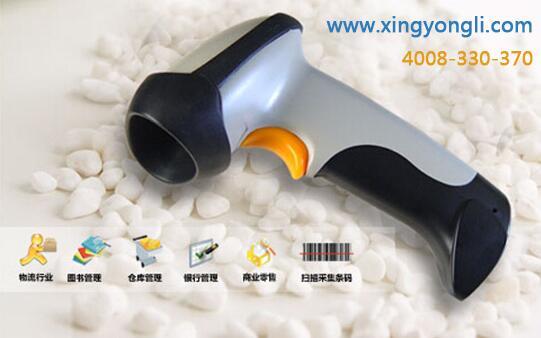
Handheld barcode scanner FAQ settings are all here
Release Time:2014-06-04
Handheld barcode scanner FAQ settings are all here
how to set the handheld barcode scanner? including restore factory settings, before and after the suffix settings, scan mode settings and other common problems of barcode scanner settings are here, hongxing yongli finishing to provide reference. For details, please consult the technical line: 0755-28225187
1 Restore factory settings
This setting is the most important setting in the bar code scanner setting. In general, bar code scanner failures (such as inability to read bar codes, etc.) can be solved by this bar code scanner setting.
2 barcode data prefix and suffix add settings
Some barcode applications require that the barcode data after reading and uploading have certain prefixes and suffixes to adapt to some functions of the system. Through this barcode scanner setting, the prefix and suffix can be easily added to the barcode scanner.
3 Barcode data digit interception settings
Some bar code applications require reading the uploaded bar code data to delete the first few characters or the last few characters to adapt to some functions of the system. Through this bar code scanner setting, it is convenient to delete the number of characters for the bar code scanner.
4 Barcode Scanner Serial Communication Number Setting
This barcode scanner can be set up to facilitate the modification of serial port parameters, such as baud rate, parity, stop bit, data bit, handshake protocol, etc.
5 bar code scanner scan mode settings
At present, high-quality barcode scanners can have a variety of scanning methods, such as manual button scanning, constant light scanning, light flashing scanning, and self-sensing barcode scanning. This barcode scanner can be set to easily switch between various modes.
6 Barcode Scanner Code System Opening Settings
In order to speed up its decoding speed, barcode scanners often lock some supported barcode codes. By default, the scanner cannot read them. If this type of locked barcode is actually encountered, the barcode scanner can be set up to quickly and conveniently open the code system.
7 Barcode scanner interface type setting
When the barcode scanner is replacing the interface data line, the interface mode can be converted through this barcode scanner setting, so that the barcode scanner can be used normally in the interface mode.
8 Barcode Scanner Buzzer Settings
When the barcode scanner is used alternately in a noisy environment and a quiet environment, the size of the scanning sound of the barcode scanner can be controlled through this barcode scanner setting to better suit the sound requirements of the environment.
Focus on us
Official Account
Pre Sales
After Sales
National Service Hotline
Complaint suggestion:+86 13530144755
Enterprise E-mail:wanglili@xingyongli.com
Links:Shenzhen Hongxing Yongli Electronic Technology Co., Ltd.(Apply for friend chain plus QQ:2355671558)
©2024 Shenzhen Hongxing Yongli Electronic Technology Co., Ltd Powered by www.300.cn