

Pre-sales customer service WeChat


Zebra barcode printer to restore factory and paper measuring operation
Release Time:2014-06-12
Zebra bar code printers are favored by the vast number of users for their outstanding performance and durable quality. How can zebra bar code printers restore the factory and paper measuring operations? The following Hongxing Yongli Xiaobian will tell you about common zebra printer models:
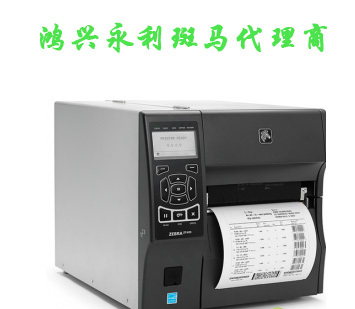
1. Zebra105SL zebra barcode printer
Printing and measuring paper: turn off the machine and press and hold the three key feed key, pause key and cancel key at the same time; Turn on the machine and release the bar code printer when there is content on the display screen.
Restore factory settings: press "SETUP" twice, then press ""-"to turn the page, find" LOADDEFAULT ", then press" SAVE ", the barcode printer will automatically feed paper, restore factory settings, and switch the machine on and off again.
2. ZebraS600 zebra barcode printer
Printing paper measurement operation: when starting up, press and hold the MODE key until the CALIBRATE (paper measurement indicator) is on, and then press the FEED key.
Restore factory settings: shut down, press and hold PAUSE and FEED at the same time to boot, about 3 seconds, press MODE4 four times to save the settings, then return to print mode, and then shut down.
3. ZebraZ400 zebra barcode printer
Printing and paper measuring operation: press and hold the CALIBRATE key to start the machine, release the CALIBRATE key after paper feeding, then a lot of paper will be produced, turn off the machine after paper is produced, then turn on the machine, and the paper measuring will be completed.
Restore factory settings: shut down, press and hold the FEED PAUSE button at the same time to turn on, release after about 10 seconds, the printer will automatically restore factory settings
4. ZebraS4M zebra barcode printer
Test whether the barcode print head works normally, whether there is a broken needle or whether the pressure on both sides of the print head is balanced: just print the test page to know, the method is to turn off the barcode printer first, then press and hold the PAUSE key to turn on the machine, and wait for about 8 seconds to release, the barcode printer will automatically print out the paper to check whether the printed content is in good condition.
Restore factory settings: shut down, press and hold the paper output button at the same time, and turn on the pause button. After almost 8 seconds, let go, the printer will restore factory settings.
5. Zebra110XiIII zebra barcode printer paper recognition method: press the pause key first, then press the CALIBRATE.
6. Zebra105SE zebra barcode printer for paper measurement: in the startup state, press MODE three times, and then press FEED key, and the printer will automatically perform paper measurement.
7. ZebraZ4M Zebra Barcode Printer to Measure Paper: Press and hold the pause key to start the machine. Whether the zebra bar code print head has a broken needle: press and hold the pause button for 8 seconds and then release it. the bar code printer prints out a black bar code label paper. check whether there is a white line on the adhesive label. if there is a broken needle, the printed bar code will probably not be scanned.
Focus on us
Official Account
Pre Sales
After Sales
National Service Hotline
Complaint suggestion:+86 13530144755
Enterprise E-mail:wanglili@xingyongli.com
Links:Shenzhen Hongxing Yongli Electronic Technology Co., Ltd.(Apply for friend chain plus QQ:2355671558)
©2024 Shenzhen Hongxing Yongli Electronic Technology Co., Ltd Powered by www.300.cn